

How to Apply for Tax-Exempt Status on Lifting.com
Setting up your tax-exempt account is now fast and fully automated. Follow these steps to ensure a seamless, tax-free checkout experience:
-
Create or Log Into Your Account
Go to our online store and set up your account: Create Account. If you already have an account, just log in.
-
Navigate to the Tax Exemption Tab
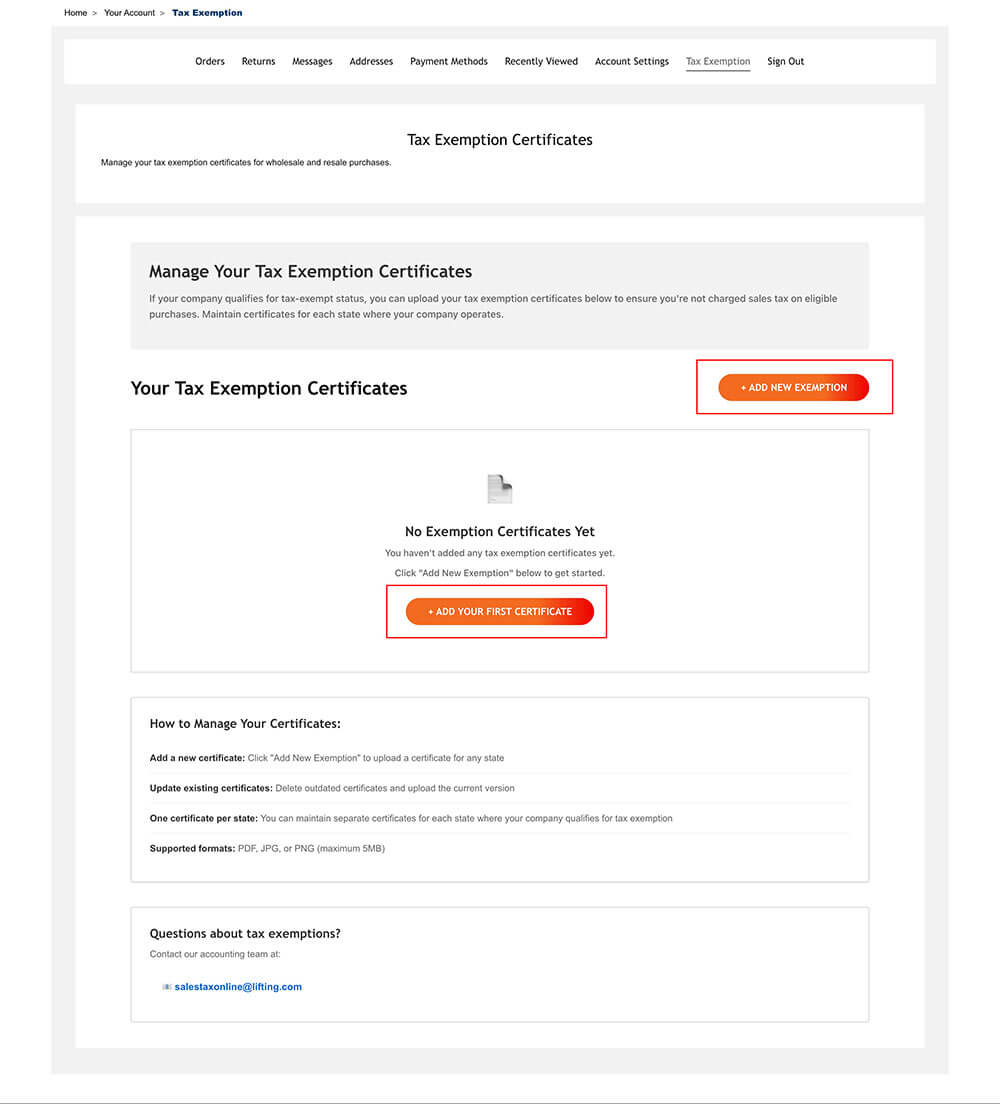
In your account admin area, click on the Tax Exemption tab.

-
Add Your Exemption Certificate
- Click the + Add New Exemption button.
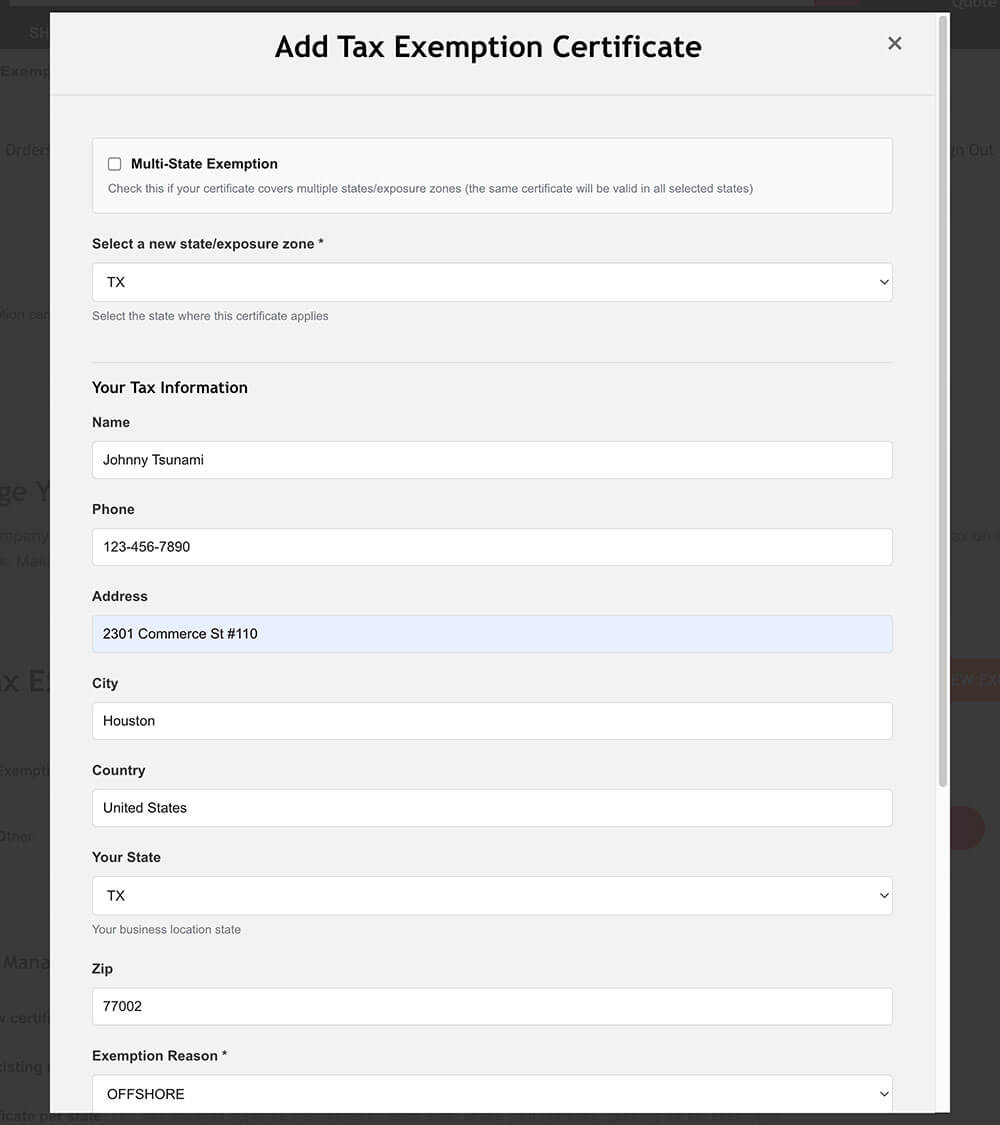
- Upload a valid exemption certificate or reseller permit for each applicable state.
- You may upload multiple certificates as needed per state.

-
Instant Approval & Checkout
- Your exemption will be approved instantly, so you can check out tax-free right away.
- Our team will later review your certificate(s) and will contact you only if there are any issues.
- You will keep your status unless your paperwork has issues or expires.
-
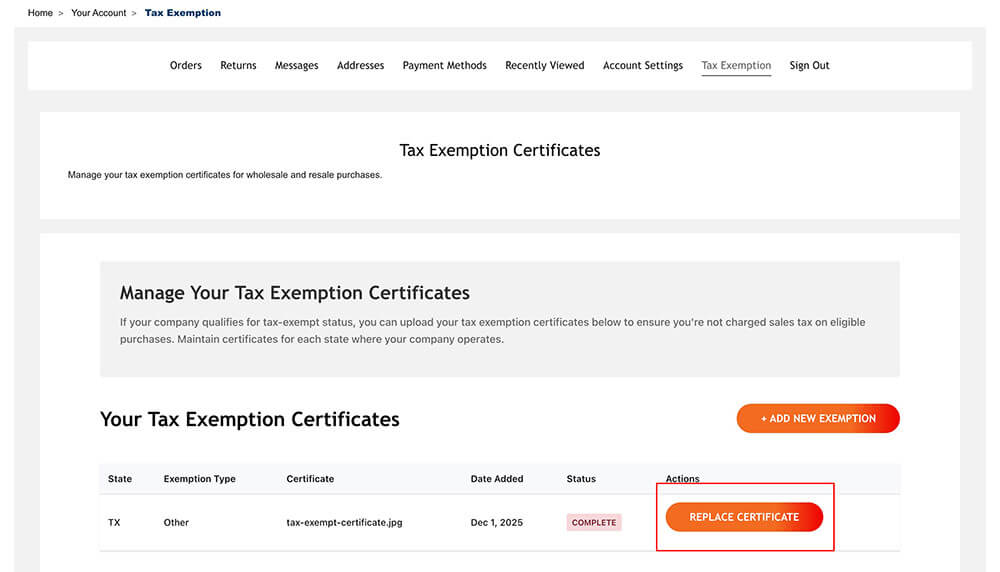
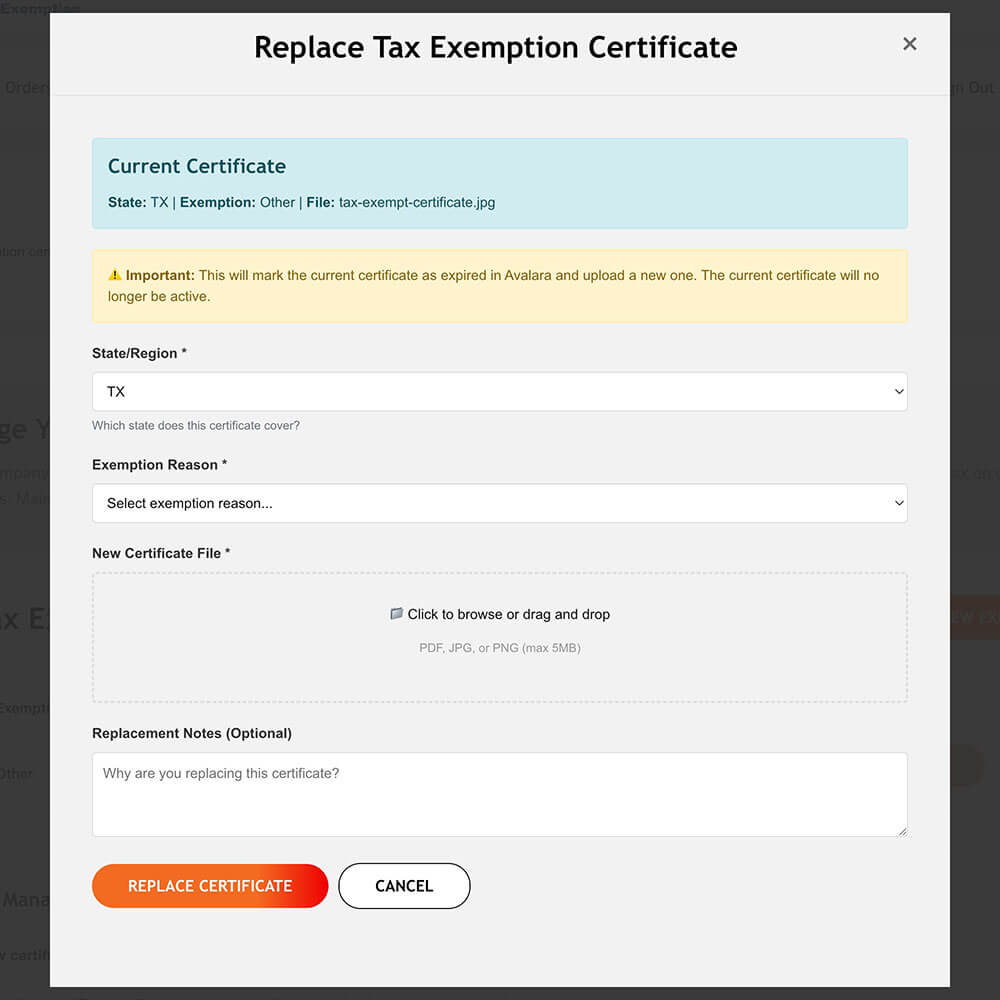
Manage or Update Certificates
To update, replace, or add additional certificates for different states, return to the Tax Exemption tab at any time.
Export Orders & Sales Tax Refund Policy
Export customers must provide a bill of lading or other proof of export showing the goods have left the United States before a sales tax refund can be issued. This requirement applies to all export orders, unless the customer holds a valid sales tax exemption in the state where the freight forwarder is located (e.g., Florida). Export documentation may be emailed to salestaxonline@lifting.com to request a refund.
Important Notes:
- Always log into your approved account for the exemption to apply at checkout.
- If you have urgent questions or run into issues uploading documents, email us at: salestaxonline@lifting.com.